
Download Selfie Camera Filter APK – Funny Live Face Filters, Cute Animal Filters, Stickers, Text, Emojis
Overview
Selfie Camera Filter APK is a free Android application developed by SWEET MAKEUP SELFIE, designed to enhance the selfie experience with a playful and creative twist. The app focuses on real-time face filters and interactive photo editing tools, making it ideal for users who enjoy experimenting with fun visual effects. It caters primarily to casual users, social media enthusiasts, and content creators who value expressiveness and entertainment in their photos.
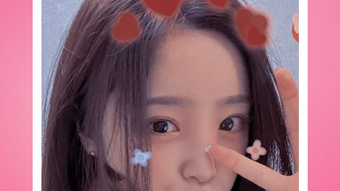
The app enables users to transform their appearance instantly using live filters that mimic animal faces such as cats, dogs, and rabbits, adding a whimsical touch to selfies. Beyond facial transformations, the app includes a variety of interactive stickers like sunglasses, hats, hairpins, and wings, allowing for further customization. Users can also overlay text and emojis to personalize their images, making them more engaging for social sharing.
This combination of live effects and post-capture editing positions the app as a versatile tool for fun, expressive photography. While specific use cases are not detailed beyond general social media sharing, the app’s design suggests it is optimized for quick, on-the-go photo creation and editing.
Key Features & Capabilities
- Live Face Filters: Real-time transformation of the user’s face into animal-like features such as cat, dog, and rabbit faces, enabling instant fun during selfies.
- Interactive Stickers: A wide selection of animated and static stickers including sunglasses, hats, hairpins, and wings for creative photo enhancement.
- Text and Emoji Overlay: Allows users to add custom text and emojis directly onto photos, increasing personalization and shareability.
- Instant Photo Editing: Enables quick editing of selfies after capture, with immediate access to filters and effects without complex workflows.
- Social Media Ready Output: Designed to produce visually engaging content optimized for platforms like Instagram, Snapchat, and TikTok.
These features support a seamless workflow for users who want to create entertaining and expressive content in minimal time. For example, a user can apply a cat face filter during a live selfie session, add a pair of sunglasses and a playful “Meow” text, and share the result directly to social media. The integration of multiple creative tools within a single interface reduces the need for multiple apps, streamlining the process of content creation. The app’s focus on fun and spontaneity makes it suitable for casual users seeking entertainment, as well as influencers looking for quick visual effects to boost engagement. While advanced editing tools are not mentioned, the app’s strengths lie in accessibility and immediate gratification.
User Interface, Workflow & Performance
The user interface of Selfie Camera Filter APK is designed for simplicity and ease of use, with intuitive navigation that allows users to switch between camera modes, access filters, and apply stickers with minimal effort. The layout likely centers around a live preview window, with toolbars positioned at the bottom or sides for quick access to features. Navigation appears to be gesture-based or button-driven, enabling smooth transitions between filter selection, sticker placement, and editing options.
The workflow emphasizes speed and convenience, allowing users to capture, edit, and share photos in a single session. Performance details were not specified by the developer, but based on general behavior of similar Android applications, the app likely operates efficiently on mid-to-high-end devices with sufficient RAM and processing power. The developer did not provide information on CPU or memory usage, nor did they mention stability under prolonged use.
However, the app’s focus on real-time filters suggests it may require consistent performance from the device’s camera and GPU. Users on older or lower-end devices may experience lag or delays during live filtering, though this is not confirmed.
Compatibility & System Requirements
Selfie Camera Filter APK is designed for Android devices. The specific version of Android required was not provided, but the app is compatible with standard Android smartphones and tablets. Installation size is not specified, though typical photo editing apps of this nature range from 50 MB to 200 MB.
The developer did not list exact system requirements, including RAM, CPU, or storage needs. Compatibility information is limited to the platform level, with no mention of support for specific device models or screen resolutions. The developer did not indicate whether the app supports offline usage or requires an internet connection for certain features.
Users should ensure their device meets basic Android compatibility standards to run the app smoothly. The developer did not provide information on update frequency or future development plans.
Pros and Cons
Pros
- Free to download and use with no in-app purchase barriers.
- Offers a wide variety of fun and engaging live face filters.
- Includes diverse stickers and text/emoji options for creative expression.
- Simple and intuitive interface ideal for casual users.
- Designed for quick social media content creation.
Cons
- Exact system requirements and performance details were not disclosed.
- Limited information on privacy or data handling practices.
- May not perform optimally on older or low-end Android devices.
- No advanced editing tools for professional-grade photo enhancement.
- Relies on third-party APK distribution, which may raise security concerns.
FAQ Section
Is Selfie Camera Filter APK available for iOS devices?
As of now, the app is specifically designed for Android. There is no official version available for iOS.
Do I need an internet connection to use the app?
The app may function offline for basic features like applying filters and editing photos. However, certain content updates or online stickers might require an internet connection.
Is the app safe to download and install?
While the app is distributed through APK sources, users should only download from trusted platforms to minimize security risks. The developer did not provide detailed information on data collection or privacy policies.
How often are updates released?
The developer did not specify the update frequency or release schedule for the app.
Can I use this app without creating an account?
Yes, the app appears to allow full functionality without requiring a user account or login.
Final Thoughts + CTA
Selfie Camera Filter APK stands out as a lighthearted, accessible tool for users who enjoy playful photo editing and real-time face transformations. With its collection of animal face filters, interactive stickers, and text customization options, it delivers a fun and engaging experience tailored for social media sharing. While it lacks advanced editing capabilities and detailed technical specifications, its simplicity and entertainment-focused design make it a strong choice for casual users and content creators seeking quick, creative results.
The app’s free model enhances its appeal, though users should exercise caution when downloading APK files from unverified sources. For anyone looking to add a touch of whimsy to their selfies, this app offers a straightforward and enjoyable solution. Download Selfie Camera Filter APK now and start transforming your selfies into fun, shareable moments.







